
Track your food additive intake over 1, 7 and 30 days
A calorie counter stops at the number. We check the foods you log, wherever we hold the ingredients list, against the additive library, then keeps a running count, so you can see how many additives you are getting through in a day, a week or 28 days, and which watch-listed ones keep coming back. The trend you cannot see one meal at a time.
Free download Pro £3.99/month or £34.99/year UK barcodes, sources cited
Every additive you log, counted over time
Free scanning gives you the score and the additive count on a single pack. The tracker names each one and adds them up: which additives recur, how much of your week is ultra-processed, and whether it is drifting up or down. One scan is a snapshot; a fortnight of scans is a pattern, and the pattern is the part you can actually do something about.
Foods you log are checked for additives as you go
Scan a barcode, search by name, or photograph a plate. NutraSafe finds the product in the UK database, branded and own-brand, and reads its ingredients list, pulling out every additive it recognises from the additive library and storing them alongside the diary entry. Nothing extra to tap. How that compares with Yuka, the NHS Food Scanner and nine others is in the best food scanner apps UK roundup.
So the record builds itself. Each log carries its own additive list, and those lists stack up into a running total for the day. You never have to type an E-number or look one up by hand; if it is on the label, it is in your diary. Logging is free for up to 25 foods a day, and the free tier shows the count on each entry. Naming each additive and what it does is Pro. That is the raw material the period insights add up later.
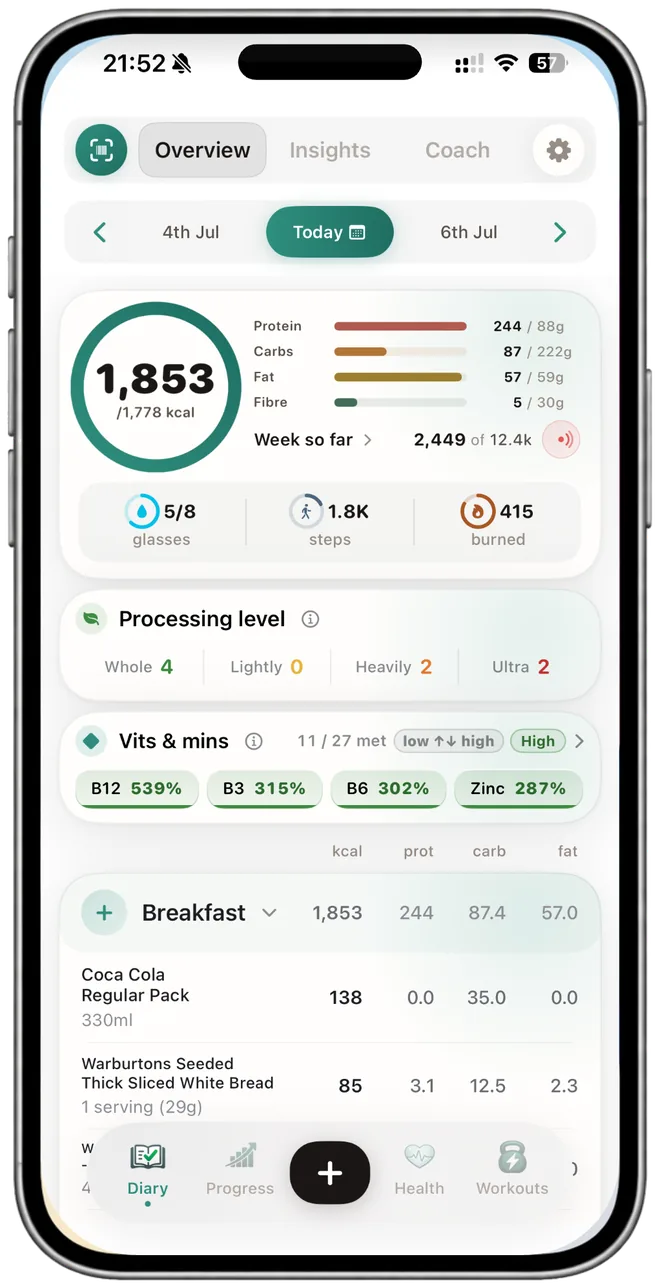
Your additive load over 7 and 28 days
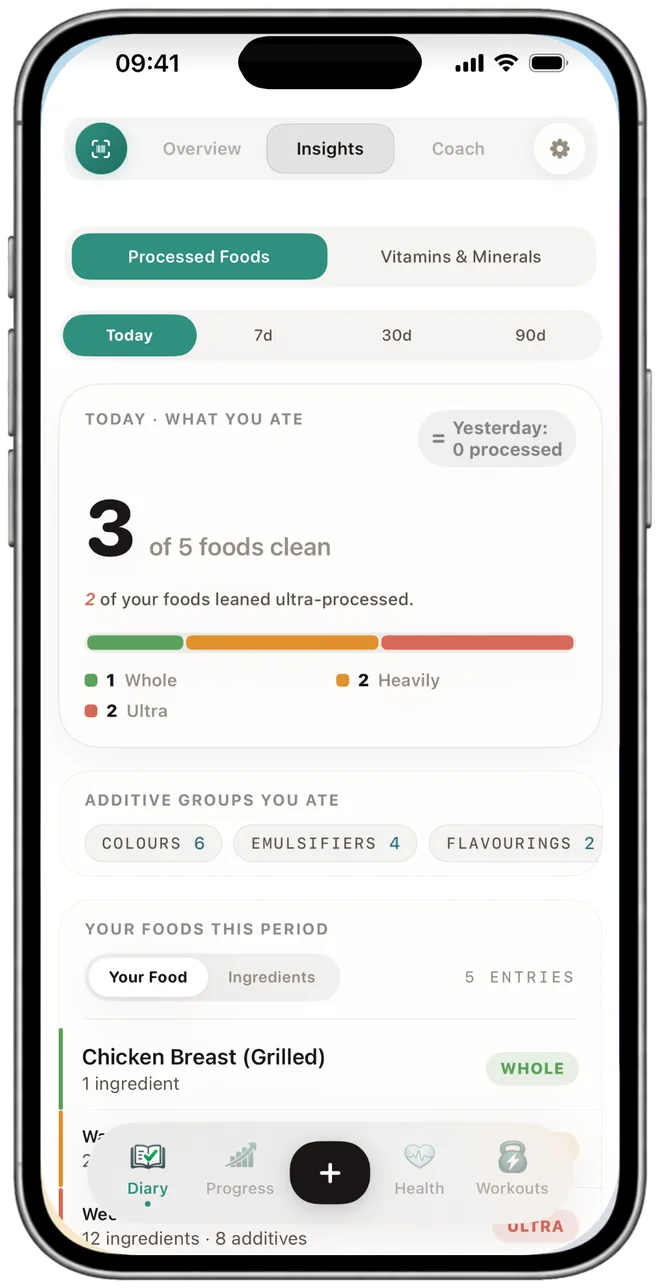
One meal tells you almost nothing. A fortnight tells you a lot. The Processed Foods insight aggregates every additive in your diary and groups them, so you can see which ones you are getting through most often and what share of your week is ultra-processed (NOVA Group 4, the classification used in the UK's national diet research).
Look at a single day, the last 7 days, or the last 28. The longer window smooths out the odd takeaway and shows the pattern underneath: steady, climbing, or easing off. This period view is a NutraSafe Pro insight (£3.99/month or £34.99/year, iOS).
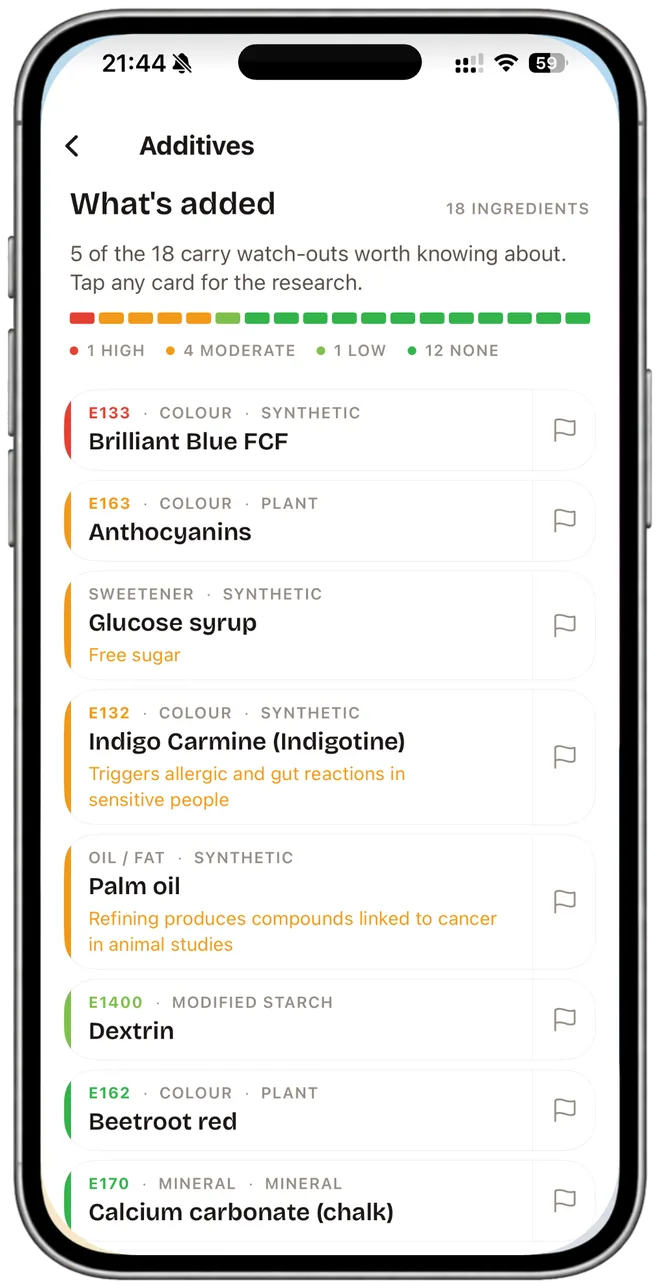
Watch-listed additives, flagged with a source
Not every additive carries a concern, and we do not pretend one where there is none. The ones that do get flagged, and each flag names who raised it. Sodium nitrite (E250) in processed meat sits behind the WHO IARC Group 1 classification of processed meat (IARC, 2015). The Southampton Six colours (E102, E104, E110, E122, E124, E129) carry the FSA-required label about a possible effect on activity and attention in children.
Tap any additive for the plain-English version: what it is, where it turns up, and, where there is published research, the concern and who published it, right on the line. You get the evidence and the source, so what you make of it is your call. We do not hand out reassurance, and we do not soften a finding: if IARC classifies something Group 1, the flag says so. Across a fortnight the count then tells you how often the watch-listed ones actually turned up in what you ate, which is the number worth acting on.
See whether it is trending up or down
The point of tracking over time is direction. If you swap a couple of ready meals for scratch cooking, the additive count and the ultra-processed share should move, and the 28-day view is where you see it. No single-letter grade and no score out of a hundred, just the count and the trend.
It is your own record, built from what you actually scanned, not a generic list of foods to avoid. Because reactions log against the same diary, Pro's suspected-triggers analysis can line up the additives you ate with the days you felt rough and surface candidates to take to your GP. That is correlation, not a diagnosis.
What two weeks of scanning adds up to
A worked example. None of these numbers are promises; they are what the diary would show from the packs you scanned.
Two weeks, one trolley
Say a typical fortnight goes through a few cans of cola, a couple of packs of sliced ham, some breakfast cereal and a handful of ready meals. Scan each one as you log it and the additives stack up in the background, no extra effort.
By the end of the two weeks the count shows the caramel colour (E150d) from the cola turning up again and again. E150d contains 4-methylimidazole, which IARC lists as Group 2B, possibly carcinogenic to humans (IARC Monograph 101, 2013). The ham brings sodium nitrite (E250); processed meat is IARC Group 1 (IARC, 2015), and the NHS advises capping processed meat at 70g a day.
None of that is a verdict from us. It is your own scans, grouped and counted, each flag linked to the FSA, EFSA, IARC or NHS source behind it. What you change after seeing the pattern is up to you. Read the fuller picture in our guide to food additives.
Additive tracker FAQ
The questions we get most about tracking additives over time. Short answers, sources cited.
Yes. Each food you log with an ingredients list stores its additive list alongside the entry, and the diary keeps a running count. On NutraSafe Pro the Processed Foods insight aggregates that across a day, the last 7 days or the last 28, so you can see which additives recur and how it drifts week to week.
Most people need two to four weeks of consistent logging before recurring additives become obvious. Single days are noisy. Aggregating across a fortnight smooths out one-off meals and surfaces the additives that show up over and over.
Free covers up to 25 diary logs a day, barcode scanning with the food's score and a count of the additives on the pack, reaction logging while you build a baseline, and the E-number library on this website. NutraSafe Pro at £3.99 a month or £34.99 a year names each additive and what it does with the evidence behind any concern, and adds the period insights that track additives over 7 and 28 days, unlimited logging, unlimited reactions, suspected-triggers analysis, the AI Coach, the AI meal scanner, workouts and fasting.
No. We surface what each additive is, what the FSA flags, what IARC has classified, and what published research says, with the source on the line. The reader decides what to do with that. If anything in the picture worries you, take it to your GP.
On NutraSafe Pro, the suspected-triggers analysis looks across the reactions you logged and the additives in your diary and surfaces candidates. This is correlation, not a diagnosis. Take the picture to your GP or dietitian, who can decide whether it is worth testing.
The ones the regulators and research have raised, each with its source. The Southampton Six colours (E102, E104, E110, E122, E124, E129) carry the FSA-required warning about activity and attention in children. Sodium nitrite (E250) sits behind the WHO IARC Group 1 classification of processed meat. Caramel colour (E150d) contains 4-methylimidazole, listed by IARC as Group 2B. Each links to its E-number library entry.
What an additive log can and cannot measure
A weekly log can show how often a named additive appears in the foods you record. It cannot calculate your dose when the manufacturer does not publish the amount, and it should not turn every E-number into the same risk category. That is why each result links to the exact code and separates function, authorisation and evidence.
Recipes change, so the current pack wins. Use the E-number library for the code and the new product ingredient guides for dated examples checked against manufacturers. Regulatory status is checked against the FSA GB register.
Last reviewed: 17 September 2026
Log a fortnight of shopping and watch the additives add up
Free download covers up to 25 food logs a day, each with the count of additives on the pack. Pro is £3.99 a month or £34.99 a year on iOS to name each one, and for the 7 and 28 day insights, suspected triggers, the AI Coach, workouts and fasting.
iPhone · iOS 17 · Cancel any time